Apps You Need in Korea (2026): What to Install Before You Fly
Last checked: October 15, 2026 · How I check facts
This post contains affiliate links. If you book through them, we may earn a small commission at no extra cost to you.
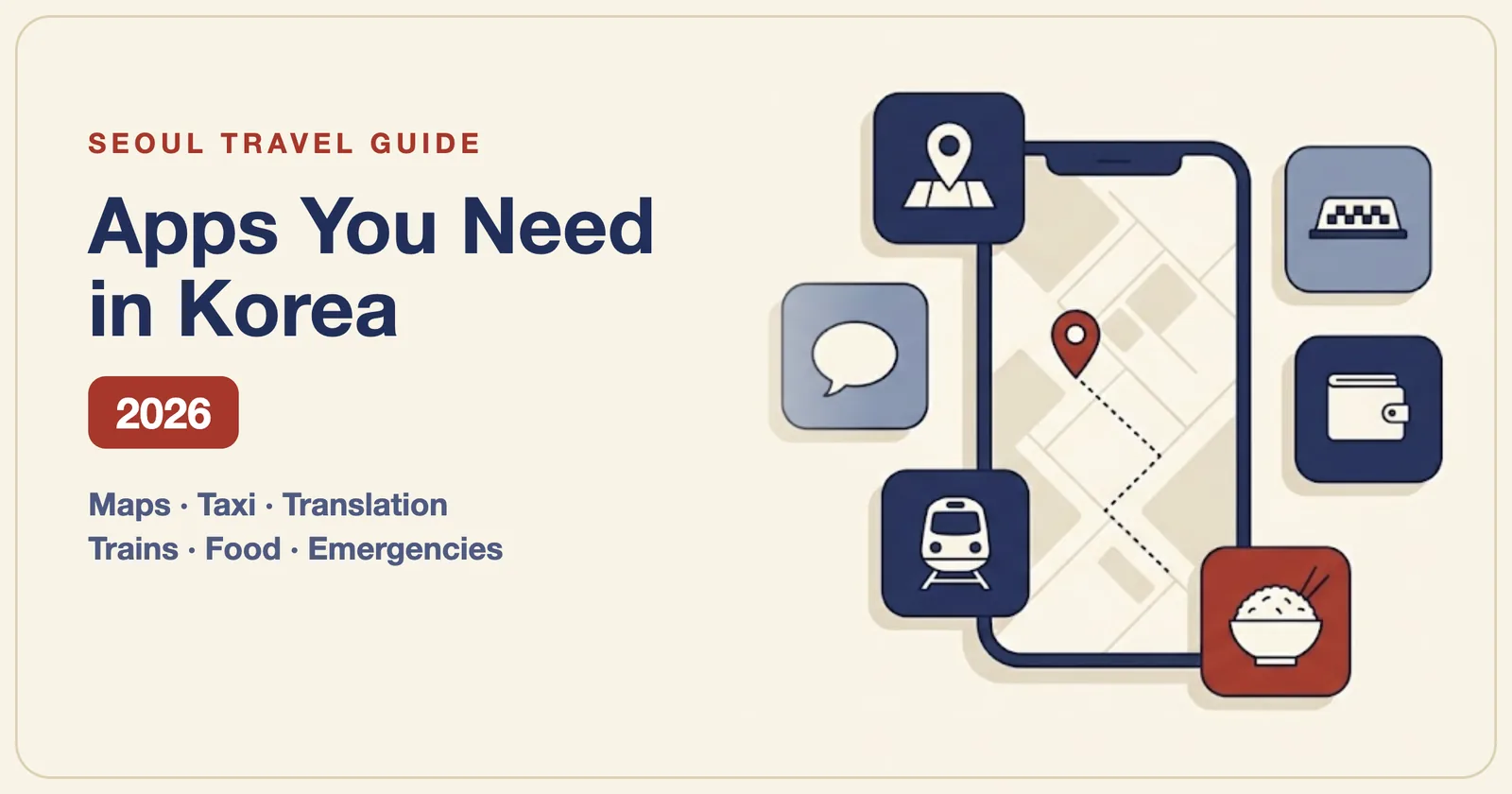
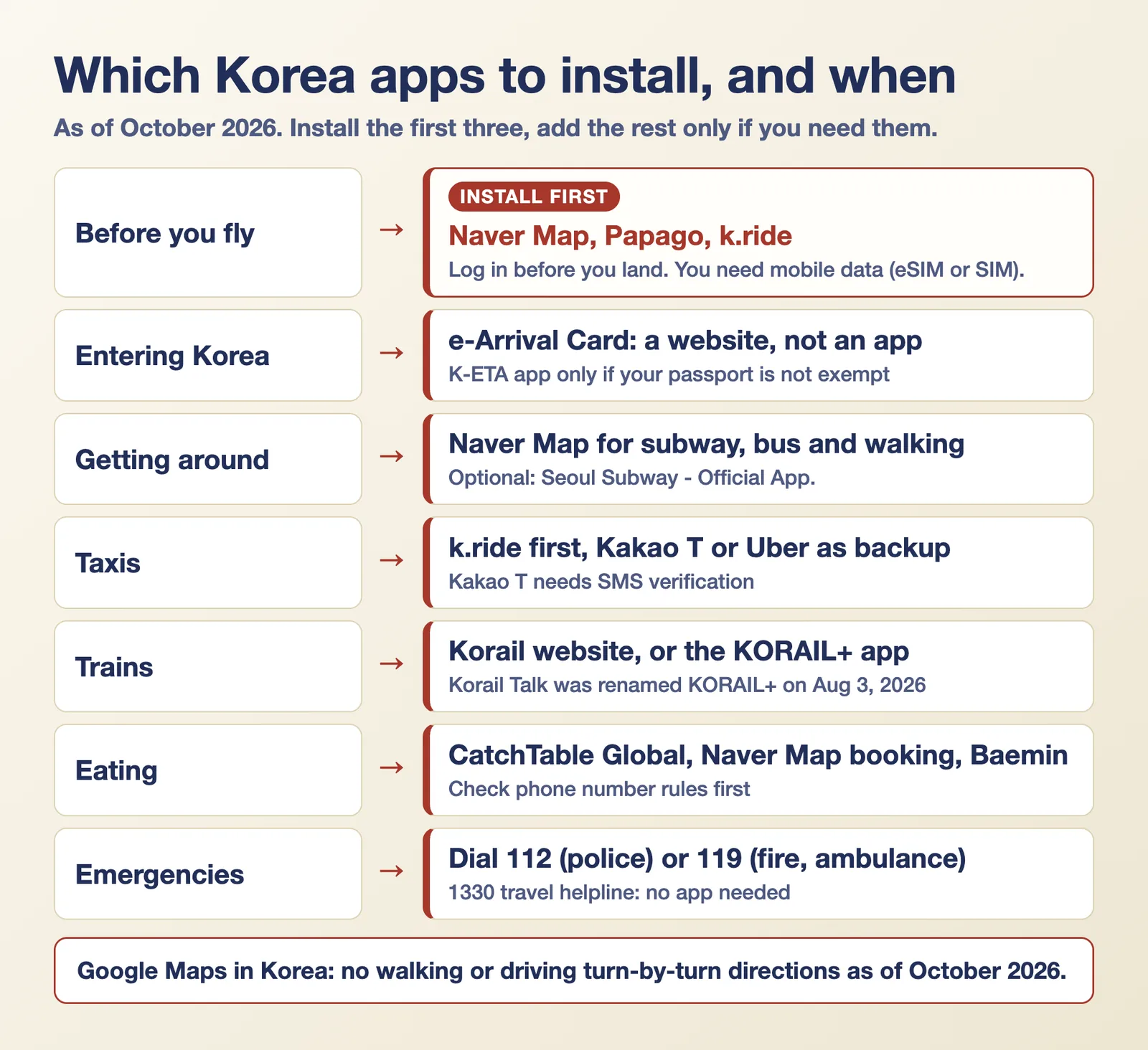
Quick answer: Install three apps before you fly: Naver Map for directions, Papago for translation, and k.ride for taxis. Add the rest only if your trip needs them. Google Maps still has no walking or driving directions in Korea (as of October 2026). KakaoTalk, Kakao T and some delivery apps may ask for a Korean phone number, so check before you land.
Everything below comes from app store listings, operator pages and government pages, checked on October 15, 2026. Where sources disagree, I say so. Each section links to a full guide.
The short version (as of October 2026):
- Install first: Naver Map, Papago, k.ride.
- Trains: use Korail's website, or the KORAIL+ app. It was called Korail Talk until August 3, 2026.
- Not apps: the e-Arrival Card is a website. The Climate Card is a physical card. Smart Entry Service is a registration at the airport.
- Skip for now: the SRT app, T-money GO, and any app you can't confirm works for foreigners.
In this guide: jump to a section
The three apps to install first
Naver Map (directions and places). Naver's store listing says the app has Korean, English, Japanese and Chinese maps and English navigation. It handles subway, bus and walking routes, which Google Maps cannot do well here. Set it up before you fly and save the places you plan to visit. Since June 4, 2026, foreign visitors can also verify with a passport to book restaurants through the app, but a restaurant can switch off foreigner bookings. Naver's help pages offer regional map downloads for navigation to save data, but I found no help page for a full offline map, so plan on having data. Our Naver Map guide walks through the setup.
Papago (translation). Papago is Naver's translator. Its store listing says it supports 14 languages, including Korean and English, and translates text, photos, voice and conversations. Papago's help page says offline language packs for Korean, English, Japanese and Chinese cover text and voice translation. Photo, conversation and website translation need a connection. Travelers are split on whether Google Translate is enough, so use whichever you prefer. Install one of them.
k.ride (taxis). k.ride is a taxi app from Kakao Mobility built for visitors. k.ride's terms say you register with a mobile phone number, email or a major social account, and its own site says you can pay with overseas credit or debit cards. Kakao T, the local app, needs a Kakao account with SMS verification. Kakao Mobility's help center says foreign-issued Visa, Mastercard, JCB and American Express cards can be registered for taxi rides if the cardholder name matches the account, though some cards may be refused by the issuer. Some travelers report that overseas numbers get rejected. Uber's taxi service is the fallback. Our taxi app guide compares all three.
Before you fly
Mobile data. Most of the apps above need a connection. Buy an eSIM or SIM before you land. Our eSIM guide explains the networks. One catch: a data-only eSIM has no phone number, so it can't receive SMS codes. If an app needs a code, read our guide to Korea without a Korean phone number first. If you just want to buy data before you go, Airalo sells Korea eSIMs.
👉 See Korea eSIM plans on Airalo
e-Arrival Card. This is a website, not an app: e-arrivalcard.go.kr. I found no official e-Arrival app in the app stores. Our e-Arrival Card guide has the steps and the exemptions.
K-ETA. Korea's temporary K-ETA exemption for many nationalities runs until December 31, 2026 (Ministry of Justice notice, March 20, 2026). If your passport is on the exempt list, you don't need the K-ETA app. If it isn't, you apply on k-eta.go.kr or in the K-ETA app. The fee is ₩10,000 on the official site. No announcement about 2027 exists yet.
Smart Entry Service. This is not an app either. You register at the airport after you arrive. See our Smart Entry Service guide.
Getting around

Subway. Naver Map covers subway routes, so a separate app is optional. If you want one, the official choice is "Seoul Subway – Official App." from Seoul Metro. It has English. Its Korean store listing says the route map covers urban rail lines nationwide, but I could not confirm live train times for lines Seoul Metro doesn't run. Subway Korea is a popular private app, not an official one. KakaoMetro comes from Kakao Mobility. Reddit travelers disagree on whether any of them is worth installing next to Naver Map.
Transit card. The Seoul Climate Card tourist pass is a physical card you buy in Seoul, not an app. On iPhone, Tmoney's MobileTmoney app says no sign-up is required. The Android situation is less clear, so read our Climate Card guide before you plan around it.
KTX trains. Use Korail's English website first, then the KORAIL+ app if you like it. Many guides still say "Korail Talk." The app was renamed KORAIL+ on August 3, 2026. Since September 1, KORAIL+ and Korail's website sell KTX and SRT trains together, so you don't need the SRT app. Tickets go on sale two months ahead at 07:00, according to Korail's FAQ. I found no official statement on foreign cards in the app. Some Google Play reviews report it freezing on foreign card entry, and the website works with foreign cards. Details are in our KTX booking guide.
Airport and luggage. Getting from Incheon to Seoul needs no special app: see our Incheon Airport to Seoul guide. If you want to store bags in a subway locker, T-Locker is the app. Our luggage guide covers prices and the delivery options.
Does Google Maps work in Korea?
Partly. Google Maps in Korea has place listings, reviews and public transit routes. It does not give walking or driving turn-by-turn directions. Korea conditionally approved Google's request to export map data on February 27, 2026. Google told the Korea Herald in August that it plans to bring full navigation to Korea, but it has given no launch date, and sources from October 2026 say it has not launched. Check before you fly, because this could change. Until then, use Naver Map for directions and Google Maps for saved places if you like it.
Paying and eating
WOWPASS. The WOWPASS app goes with the WOWPASS prepaid card. Its store listing says it shows your card and T-money balance and lets you lock the card if you lose it. Our WOWPASS vs NAMANE comparison covers fees and top-up options. Shopping tax refund? See our tax refund guide.
Restaurant booking. CatchTable Global's store listing says no Korean phone number is required. VisitKorea says deposits for reservation-only restaurants can be paid with foreign-issued cards, and waitlisting needs no deposit. Cancellation and no-show fees follow each restaurant's own policy (CatchTable's terms), so read the policy before you confirm. Naver Map also takes bookings after passport verification, as noted above.
Food delivery. Baemin has English, Chinese and Japanese in the app. Since June 2, 2026, it accepts Apple Pay with foreign-issued Visa, Mastercard, JCB and American Express cards (Korea Herald, May 31, 2026). Baemin's English global page says: "No Korean phone number required." Coupang Eats runs on a Coupang account, so sign up in the Coupang app or on the website first. On cards, Coupang's own FAQ (July 20, 2026) says Visa, Mastercard and JCB cards issued abroad can be registered in your name in Coupay and used for Coupay payments. Coupang's FAQ treats Coupay as the shared wallet for Coupang, Coupang Eats and Coupang Play. A traveler reported adding a card in the Eats app in November 2025, and that American Express was rejected. On phone numbers, Coupang's FAQ says foreigners living in Korea can sign up, but phone verification is required, and accounts that can't verify have limited service. The Eats support chat said on October 15, 2026 that overseas contact numbers work and that the app is Korean and English only. That was an AI answer, and the chat warns it can be partly inaccurate. Traveler posts from 2025 said a Korean number was needed. Treat a Korean number as likely required, and test sign-up before you land.
Phone number and foreign card check, app by app
| App | Korean number needed? | Foreign card? |
|---|---|---|
| Naver Map (booking) | Passport verification, no Korean number (Naver, June 2026) | Depends on the restaurant |
| k.ride | A phone number, email or social account (k.ride terms) | Yes, per k.ride |
| Kakao T | Yes: Kakao account with SMS verification | Yes, per Kakao Mobility: Visa, Mastercard, JCB, Amex in the account holder's name. Some cards may be refused |
| KORAIL+ app | Not confirmed | Website works. App reports are mixed |
| KakaoTalk | Yes: SMS verification with your country code. Email-only sign-up isn't offered (Kakao help center) | Not applicable |
| CatchTable Global | No (store listing) | Yes, foreign-issued cards for deposits (VisitKorea) |
| Baemin | No, per Baemin's English global page | Yes, including Apple Pay |
| Coupang Eats | Phone verification required (Coupang FAQ). Support chat (AI) said an overseas number works. 2025 traveler posts say a Korean number was needed | Yes for your own Visa, Mastercard or JCB, added to Coupay (Coupang FAQ, July 2026). Amex reported rejected |
| MobileTmoney (iPhone) | No sign-up (store listing) | Apple Pay cards, see our Climate Card guide |
Emergencies
You don't need an app to call for help. Dial 112 for police and 119 for fire and ambulance. VisitKorea says to say "English please" or "Interpreter please" when the call connects, and the operator will bring in an interpreter. That advice comes from VisitKorea. Police say English and Chinese interpreters staff the 112 line around the clock (Yonhap, March 2024). For 119, a 2019 fire agency release describes a foreign-language responder or a three-way call with an interpreter. I did not find either agency's own wording for "English please."
The 1330 Korea Travel Helpline is run by the Korea Tourism Organization. It works by phone (1330 in Korea, +82-2-1330 from abroad) and by chat on KakaoTalk, Facebook, Line and WhatsApp. I found no official standalone 1330 app.
The Ministry of the Interior and Safety publishes the Emergency Ready App. Its store listing says it can search for emergency medical centers, fire stations, police stations and shelters, and it has a direct 119 call. The ministry says it has sent disaster alerts in 22 languages since June 15, 2026. VisitKorea pages describe its features differently, so check the app after you install it.
What I'd skip
- SRT app: not needed since the KTX and SRT merger.
- T-money GO: the app store listing is Korean only, and some features need Korean identity verification.
- KakaoTalk: it needs SMS verification with your country code, and email-only sign-up isn't offered (Kakao help center). Skip it unless you must message a Korean host or business.
- GoHanpass: VisitKorea lists this newer app, but I couldn't confirm that its train booking works for visitors.
FAQ
Does Google Maps work in Korea?
It shows places, reviews and public transit routes. It has no walking or driving turn-by-turn directions as of October 2026. Google has said full navigation is planned but has given no date. Use Naver Map for directions.
Do I need a Korean phone number for Korea apps?
Not for the three first installs. k.ride needs only a phone number, email, Google or Apple account. Kakao T and KakaoTalk need SMS verification. KakaoTalk lets you pick your country code, but some travelers report codes not arriving. The table above shows what I could confirm.
Where did Korail Talk go?
It became KORAIL+ on August 3, 2026. The app ID is the same, so an old install updates in place.
Do I need an app for the e-Arrival Card?
No. It's a website at e-arrivalcard.go.kr. I found no official app.
What is the best taxi app in Korea for foreigners?
k.ride, because it accepts a non-Korean sign-up and overseas cards. Kakao T and Uber are the backups.
Can I use these apps without mobile data?
Mostly no. Papago's offline language packs cover text and voice translation for Korean, English, Japanese and Chinese. Naver Map offers regional map downloads for navigation to save data, but I found no full offline map feature, so buy an eSIM or SIM first.
Quick checklist
- Install Naver Map, Papago and k.ride, and log in before you fly.
- Set up mobile data for landing day.
- Submit the e-Arrival Card on the website, not in an app.
- Check whether your passport needs a K-ETA before you book.
- Book trains on Korail's website, or in KORAIL+, not Korail Talk.
- Save 112, 119 and 1330 in your phone.
Last checked: October 15, 2026
Related guides
- Korean Convenience Store Food 2026: Prices & Rules Checked
- South Korea Travel Tips (2026): First-Trip Setup Checklist
- Kakao T, k.ride or Uber? Best Korea Taxi App for Foreigners (2026)
- Naver Map in English: Why Google Maps Fails in Korea (2026 Guide)
- No Korean Phone Number in Korea? How to Book, Ride and Order (2026)
Sources
- NAVER Maps, Navigation (App Store)
- NAVER Corp.: Naver Map 2026 BE LOCAL campaign press release (June 10, 2026)
- Naver Papago (App Store)
- k.ride official site
- k.ride (App Store)
- Kakao T (App Store)
- VisitKorea: Ride-hailing apps in Korea
- VisitKorea: Helpful apps and resources
- Korail press release: KORAIL+ launch (Korean, August 2, 2026)
- KORAIL+ (App Store)
- Seoul Subway – Official App. (App Store)
- MobileTmoney (App Store)
- WOWPASS (App Store)
- CATCHTABLE (App Store)
- Baemin (App Store)
- Korea Herald: Baemin to accept foreign-issued Apple Pay cards (May 31, 2026)
- Coupang Newsroom FAQ on orders and payments, episode 4 (Korean, July 20, 2026)
- K-ETA: temporary exemption extension notice (March 20, 2026)
- K-ETA official site
- Korea Herald: Google Maps team for Korea (August 25, 2026)
- Korea Herald: Korea clears map data export for Google (February 27, 2026)
- VisitKorea: Disaster safety services for international visitors
- VisitKorea: 1330 Korea Travel Helpline
- Emergency Ready App (App Store)
- T locker (App Store)
- Papago help: offline translation (Korean)
- Naver Map help: regional map download (Korean)
- Kakao help center: KakaoTalk sign-up (Korean)
- Kakao Mobility help center: foreign-issued cards (Korean)
- k.ride terms of service
- Baemin global page
- Coupang Newsroom FAQ on personal information, episode 1 (Korean)
- Coupang Newsroom FAQ on orders and payments, episode 5 (Korean)
- Korail FAQ (English)
- VisitKorea: Catchtable Global
- CatchTable terms of service
- Ministry of the Interior and Safety: Emergency Ready App languages (Korean, July 23, 2026)
- Yonhap: 112 interpretation service runs 24/7 (Korean, March 18, 2024)
- Fire agency release: using 119 as a foreigner (Korean, 2019)